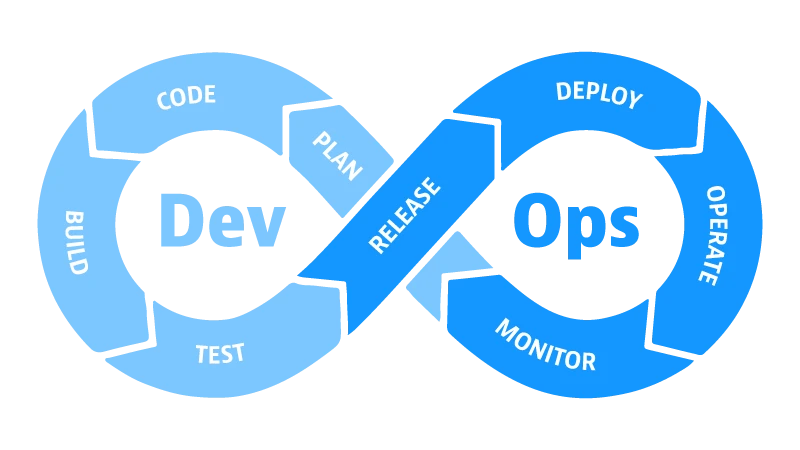
ความปลอดภัยเป็นส่วนสำคัญที่ไม่ควรมองข้าม เมื่อใช้ CI/CD Pipeline ในการ deploy code ไปยัง production Secrets และ Credentials เช่น API keys, database passwords, SSH keys ต้องถูกจัดการอย่างระมัดระวัง ถ้าเก็บไว้ใน repository หรือ expose ในไปป logs จะเกิดความเสี่ยงด้านความปลอดภัย บทความนี้จะอธิบายวิธีการป้องกัน secrets ใน CI/CD pipeline ตามหลักการปลอดภัยที่ดีที่สุด
Secrets คืออะไร และทำไมต้องป้องกัน
Secrets คือข้อมูลที่มีความไว (sensitive data) เช่น Database credentials API keys from third-party services Docker Hub tokens AWS access keys database passwords และ SSL certificates เมื่อ expose secrets จะทำให้ attacker สามารถเข้าถึงระบบของคุณ steal data หรือ execute malicious code ดังนั้นต้องเก็บ secrets อย่างปลอดภัย และไม่ควรเช็ค secrets เข้า git repository
GitHub Secrets: วิธีการสร้างและใช้
GitHub ให้บริการ GitHub Secrets ที่ช่วยให้คุณเก็บ secrets ได้อย่างปลอดภัย เมื่อใช้ secrets ใน workflow GitHub จะ encrypt ค่าของ secrets และจะไม่ปรากฏใน logs
# สร้าง GitHub Secrets
# 1. ไปที่ Repository Settings
# 2. Secrets and variables > Actions
# 3. New repository secret
# 4. กำหนด secret name และ value

# ตัวอย่าง
Secret name: DATABASE_PASSWORD
Secret value: super-secret-password-123

# ใช้ secrets ใน workflow file
name: Deploy Application
on:
  push:
    branches: [main]

jobs:
  deploy:
    runs-on: ubuntu-latest
    steps:
      - uses: actions/checkout@v3

      - name: Connect to database
        env:
          DB_PASSWORD: ${{ secrets.DATABASE_PASSWORD }}
        run: |
          psql -h localhost -U postgres -d mydb \
            -c "CREATE TABLE users (id INT, name VARCHAR);"

      - name: Deploy application
        env:
          API_KEY: ${{ secrets.API_KEY }}
        run: |
          echo "Deploying with API key..."
          # API_KEY จะไม่ปรากฏใน logs
HashiCorp Vault: Centralized Secret Management
สำหรับองค์กรที่ใหญ่กว่า GitHub Secrets อาจมีข้อจำกัด HashiCorp Vault เป็นเครื่องมือ centralized secret management ที่ช่วยให้คุณจัดการ secrets จากที่เดียว Vault เก็บ secrets ด้วย encryption และ audit logs ดังนั้นคุณรู้ว่าใครเข้าถึง secrets เมื่อไร
# ติดตั้ง Vault CLI
curl -fsSL https://apt.releases.hashicorp.com/gpg | sudo apt-key add -
sudo apt-add-repository "deb [arch=amd64] https://apt.releases.hashicorp.com $(lsb_release -cs) main"
sudo apt-get update && sudo apt-get install vault

# Login ไป Vault
vault login

# เก็บ secret ใน Vault
vault kv put secret/myapp/database \n  username=admin \n  password=super-secret-password

# Retrieve secret
vault kv get secret/myapp/database

# ใน CI/CD pipeline
- name: Get secrets from Vault
  run: |
    export VAULT_ADDR="https://vault.example.com"
    export VAULT_TOKEN="${{ secrets.VAULT_TOKEN }}"
    DB_PASSWORD=$(vault kv get -field=password secret/myapp/database)
    echo "::add-mask::$DB_PASSWORD"
    echo "Database password retrieved securely"
วิธีการป้องกัน Credential Leaks
1. Never commit secrets ไปยัง repository ใช้ .gitignore เพื่อ exclude files ที่มี secrets 2. Scan repository ด้วย tools เช่น git-secrets หรือ TruffleHog เพื่อหา secrets ที่ถูก commit โดยบังเอิญ 3. Rotate secrets อย่างสม่ำเสมอ เช่นเปลี่ยน database password ทุกสาม เดือน 4. ใช้ short-lived tokens เมื่อเป็นไปได้ 5. Audit logs เพื่อดูว่าใครเข้าถึง secrets
# ติดตั้ง git-secrets เพื่อ scan commit messages
git clone https://github.com/awslabs/git-secrets.git
cd git-secrets
sudo make install

# ติดตั้ง pre-commit hook
git secrets --install
git secrets --register-aws

# Scan existing repository
git secrets --scan

# ติดตั้ง TruffleHog
pip install truffleHog

# Scan repository
trufflehog git file:///path/to/repository
Integration กับ Cloud VPS Deployment
เมื่อ deploy ไปยัง Cloud VPS ของ ผู้ให้บริการโฮสติ้ง (https://de.co.th/cloud-vps) ต้องส่ง credentials ไปยัง server อย่างปลอดภัย ทำได้โดยการ ใช้ SSH keys แทน passwords ส่ง secrets ผ่าน environment variables ไม่ใช่ command-line arguments หรือเก็บ secrets ใน .env files บน server ที่ protected ด้วย proper file permissions
Best Practices สำหรับ Secret Management
1. Principle of Least Privilege – ให้เฉพาะสิ่งที่จำเป็น 2. Encrypt secrets both in transit และ at rest 3. Use version control สำหรับ infrastructure code แต่ไม่ใช่ secrets 4. Document secret naming conventions 5. Set up alerts เมื่อมีการเข้าถึง sensitive secrets 6. ใช้ Multi-factor Authentication สำหรับ access ไป secret management systems
สรุป
การป้องกัน secrets ใน CI/CD pipeline เป็นความรับผิดชอบที่สำคัญ โดยการใช้ GitHub Secrets, HashiCorp Vault, และ best practices อื่นๆ คุณสามารถลดความเสี่ยงด้านความปลอดภัยและ protect sensitive data ของคุณ Cloud VPS ของ ผู้ให้บริการโฮสติ้ง มี flexibility ในการ integrate กับระบบ secret management ต่างๆ เพื่อให้คุณสามารถ deploy ด้วยความปลอดภัยสูงสุด

