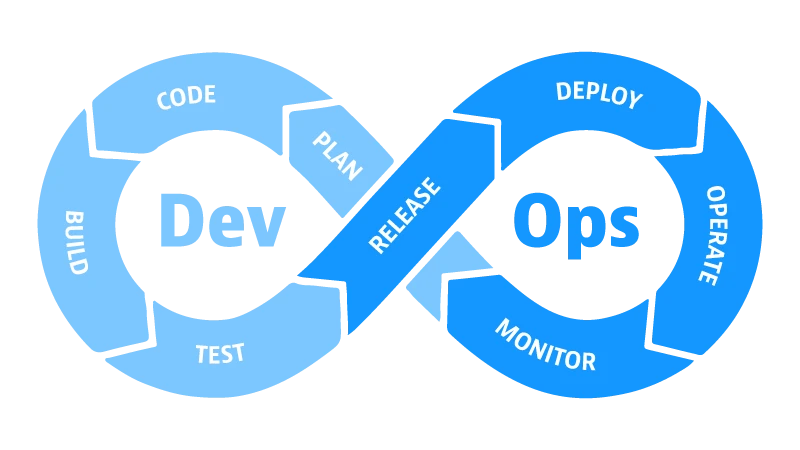
Ansible คือเครื่องมือ Automation สำหรับ IT ที่ได้รับความนิยมสูงสุดในโลก DevOps จุดเด่นที่สุดคือเป็น Agentless คือทำงานผ่าน SSH โดยไม่ต้องติดตั้ง Agent บน Server ปลายทางเลย บทความนี้จะอธิบายว่า Ansible คืออะไร ทำงานอย่างไร และวิธีเริ่มต้นใช้งานบน Cloud VPS ของ ผู้ให้บริการโฮสติ้ง
Ansible คืออะไร?
Ansible เป็น Open Source IT Automation Tool ที่พัฒนาโดย Red Hat ใช้สำหรับ:
- Configuration Management: ตั้งค่าและจัดการ Server อัตโนมัติ
- Application Deployment: Deploy แอปพลิเคชันไปยังหลาย Server พร้อมกัน
- Orchestration: จัดการขั้นตอนการทำงานโดยอัตโนมัติ
- Provisioning: สร้างและตั้งค่า Infrastructure
Agentless Architecture: จุดเด่นของ Ansible
ในขณะที่เครื่องมืออื่นอย่าง Chef หรือ Puppet ต้องติดตั้ง Agent บนทุก Server ที่ต้องการจัดการ Ansible ทำงานผ่าน SSH เพียงอย่างเดียว ซึ่งเป็นสิ่งที่มีอยู่บน Linux Server ทุกตัวอยู่แล้ว นั่นคือ:
- ไม่ต้องติดตั้งอะไรเพิ่มเติมบน Server ปลายทาง
- ความปลอดภัยสูงขึ้น ไม่มี Attack Surface เพิ่ม
- เริ่มต้นใช้งานได้ทันทีโดยไม่ต้องติดตั้ง Agent ก่อน
ติดตั้ง Ansible
# ติดตั้งบน Ubuntu/Debian
sudo apt update
sudo apt install -y ansible

# ติดตั้งบน CentOS/RHEL
sudo yum install -y ansible

# ติดตั้งผ่าน pip
pip3 install ansible

# ตรวจสอบการติดตั้ง
ansible --version
สร้าง Inventory File
Inventory File คือไฟล์ที่ระบุ Server ที่ Ansible จะจัดการ:
# inventory.ini
[webservers]
192.168.1.10 ansible_user=ubuntu
192.168.1.11 ansible_user=ubuntu

[dbservers]
192.168.1.20 ansible_user=root

[all:vars]
ansible_ssh_private_key_file=~/.ssh/id_rsa
ทดสอบการเชื่อมต่อด้วย Ad-hoc Command
# Ping ทุก Server ใน Inventory
ansible all -i inventory.ini -m ping

# ดู Uptime ของทุก Server
ansible all -i inventory.ini -a "uptime"

# ติดตั้ง Package บนทุก Web Server
ansible webservers -i inventory.ini -m apt -a "name=nginx state=present" --become
เขียน Playbook แรก
Playbook คือไฟล์ YAML ที่อธิบายขั้นตอนการทำงานของ Ansible:
---
# install-nginx.yml
- name: ติดตั้งและเปิดใช้ Nginx
  hosts: webservers
  become: yes

  tasks:
    - name: อัปเดต package cache
      apt:
        update_cache: yes

    - name: ติดตั้ง Nginx
      apt:
        name: nginx
        state: present

    - name: เปิดใช้ Nginx service
      service:
        name: nginx
        state: started
        enabled: yes

    - name: ตรวจสอบว่า Nginx ทำงานอยู่
      uri:
        url: http://localhost
        status_code: 200
รัน Playbook:
ansible-playbook -i inventory.ini install-nginx.ymlAnsible Modules ที่ใช้บ่อย
| Module | การใช้งาน | ตัวอย่าง |
|---|---|---|
| apt / yum | จัดการ Package | ติดตั้ง, ลบ, อัปเดต Package |
| service | ควบคุม Service | เริ่ม/หยุด/เปิดใช้ systemd service |
| copy / template | จัดการไฟล์ | คัดลอก Config File ไปยัง Server |
| command / shell | รันคำสั่ง | รัน Shell Script บน Server |
| git | จัดการ Git | Clone/Pull Repository |
| docker_container | จัดการ Docker | เริ่ม/หยุด Container |
| user | จัดการ User | สร้าง/ลบ User บน Server |
| firewalld / ufw | จัดการ Firewall | เปิด/ปิด Port |
ตัวอย่าง: Deploy Docker Container ด้วย Ansible
---
# deploy-docker.yml
- name: Deploy App ด้วย Docker
  hosts: webservers
  become: yes

  tasks:
    - name: ติดตั้ง Docker
      apt:
        name: docker.io
        state: present
        update_cache: yes

    - name: เปิดใช้ Docker service
      service:
        name: docker
        state: started
        enabled: yes

    - name: Pull Docker Image ล่าสุด
      docker_image:
        name: nginx:latest
        source: pull

    - name: เริ่ม Container
      docker_container:
        name: myapp
        image: nginx:latest
        state: started
        restart_policy: always
        ports:
          - "80:80"
เริ่มต้นใช้ Ansible บน Cloud VPS ผู้ให้บริการโฮสติ้ง
- สมัคร Cloud VPS ที่ ผู้ให้บริการโฮสติ้ง และรับ IP Address
- ติดตั้ง Ansible บนเครื่อง Local ของคุณ
- เพิ่ม VPS IP ใน Inventory File
- ทดสอบการเชื่อมต่อด้วย
ansible all -i inventory.ini -m ping - เขียน Playbook และ Run เพื่อตั้งค่า Server
สรุป
Ansible คือเครื่องมือ Automation ที่เริ่มต้นง่ายที่สุดสำหรับ DevOps ด้วย Agentless Architecture ที่ทำงานผ่าน SSH ทำให้คุณสามารถเริ่ม Automate Server ได้ทันทีโดยไม่ต้องติดตั้งอะไรเพิ่มเติม บน Cloud VPS ของ ผู้ให้บริการโฮสติ้ง คุณสามารถใช้ Ansible จัดการ Server ได้อย่างมีประสิทธิภาพ ตั้งแต่ Configuration Management ไปจนถึง Application Deployment

