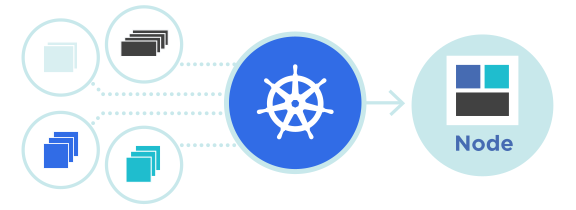
Ingress Controller คืออะไร
Ingress Controller เป็นชิ้นส่วนสำคัญในสถาปัตยกรรม Kubernetes ที่ทำหน้าที่จัดการการเข้าถึงแอปพลิเคชันจากภายนอกคลัสเตอร์ โดยมีหน้าที่ในการ routing HTTP/HTTPS traffic ไปยังบริการต่างๆ ภายในคลัสเตอร์ Nginx Ingress Controller เป็นตัวเลือกยอดนิยม โดยใช้ Nginx Reverse Proxy เป็นตัวกลางในการจัดการและกระจายเบื้องหน้า (front-end) ของแอปพลิเคชันของคุณ
ทำไมต้องใช้ Ingress Controller
ในสภาวะปกติ เมื่อต้องการเปิดให้ Service ของ Kubernetes เข้าถึงได้จากภายนอก คุณจำเป็นต้องใช้ NodePort หรือ LoadBalancer Service ซึ่งมีข้อจำกัดหลายประการ เช่นการใช้พอร์ตที่สูงกว่า 30000 สำหรับ NodePort หรือต้นทุนเพิ่มเติมสำหรับ LoadBalancer
ตารางเปรียบเทียบ Service Types:
| ลักษณะ | NodePort | LoadBalancer | Ingress |
|---|---|---|---|
| พอร์ต | 30000-32767 | พอร์ต Standard (80, 443) | พอร์ต Standard (80, 443) |
| ต้นทุน | ต่ำ | สูง (Cloud Load Balancer) | ต่ำ-ปานกลาง |
| URL Routing | ไม่รองรับ | ไม่รองรับ | รองรับ Path/Host-based |
| SSL/TLS | ไม่สะดวก | รองรับ | รองรับ (Cert-Manager) |
| Use Case | Development/Testing | Production (Cloud) | Production (Flexible) |
Ingress Controller ช่วยแก้ปัญหาเหล่านี้โดยการ:
- จัดการ HTTP/HTTPS traffic โดยอาศัย URL path และ hostname
- ลดต้นทุนโครงสร้างพื้นฐาน (Infrastructure Cost)
- ให้ความยืดหยุ่นมากขึ้นในการจัดการ routing
- รองรับ SSL/TLS termination
- ใช้ได้กับบริการ Cloud VPS ของ ผู้ให้บริการโฮสติ้ง (https://de.co.th/cloud-vps) เพื่อให้ได้ประสิทธิภาพสูงสุด
ติดตั้ง Nginx Ingress Controller
วิธีที่ 1: ติดตั้งด้วย Helm (แนะนำ)
ขั้นตอน 1: เพิ่ม Helm Repository
helm repo add ingress-nginx https://kubernetes.github.io/ingress-nginx
helm repo update
ขั้นตอน 2: ติดตั้ง Nginx Ingress Controller
helm install nginx-ingress ingress-nginx/ingress-nginx \
  --namespace ingress-nginx \
  --create-namespace \
  --set controller.service.type=LoadBalancer
ขั้นตอน 3: ตรวจสอบสถานะ
kubectl get pods -n ingress-nginx
kubectl get svc -n ingress-nginx
วิธีที่ 2: ติดตั้งด้วย kubectl (Manual)
# ดาวน์โหลด Ingress Controller Manifest
kubectl apply -f https://raw.githubusercontent.com/kubernetes/ingress-nginx/controller-v1.8.1/deploy/static/provider/cloud/deploy.yaml

# ตรวจสอบการติดตั้ง
kubectl wait --namespace ingress-nginx \
  --for=condition=ready pod \
  --selector=app.kubernetes.io/component=controller \
  --timeout=120s
ตั้งค่า Ingress Resource พื้นฐาน
หลังจากติดตั้ง Nginx Ingress Controller เสร็จแล้ว ให้สร้าง Ingress Resource เพื่อกำหนดวิธีจัดการ traffic
ตัวอย่างพื้นฐาน:
apiVersion: networking.k8s.io/v1
kind: Ingress
metadata:
  name: basic-ingress
  namespace: default
spec:
  ingressClassName: nginx
  rules:
  - host: example.com
    http:
      paths:
      - path: /
        pathType: Prefix
        backend:
          service:
            name: my-service
            port:
              number: 80
บันทึก YAML ข้างต้นลงในไฟล์ชื่อ basic-ingress.yaml แล้วรันคำสั่ง:
kubectl apply -f basic-ingress.yamlPath-based Routing
Path-based routing ช่วยให้คุณสามารถกำหนดเส้นทางต่างๆ ไปยัง Service ต่างๆ โดยอาศัยเส้นทาง URL สิ่งนี้มีประโยชน์สำหรับแอปพลิเคชันที่มีหลายบริการและต้องการให้ผู้ใช้เข้าถึงได้ผ่าน URL เดียว
apiVersion: networking.k8s.io/v1
kind: Ingress
metadata:
  name: path-based-ingress
spec:
  ingressClassName: nginx
  rules:
  - host: api.example.com
    http:
      paths:
      - path: /users
        pathType: Prefix
        backend:
          service:
            name: user-service
            port:
              number: 3000
      - path: /products
        pathType: Prefix
        backend:
          service:
            name: product-service
            port:
              number: 8080
      - path: /
        pathType: Prefix
        backend:
          service:
            name: main-service
            port:
              number: 80
Host-based Routing
Host-based routing ใช้สำหรับจัดการ traffic โดยอาศัย hostname ที่แตกต่างกัน ทำให้สามารถโฮสต์แอปพลิเคชันหลายตัวบน Kubernetes Cluster เดียวได้โดยใช้ subdomain ต่างๆ
apiVersion: networking.k8s.io/v1
kind: Ingress
metadata:
  name: host-based-ingress
spec:
  ingressClassName: nginx
  rules:
  - host: blog.example.com
    http:
      paths:
      - path: /
        pathType: Prefix
        backend:
          service:
            name: blog-service
            port:
              number: 3000
  - host: api.example.com
    http:
      paths:
      - path: /
        pathType: Prefix
        backend:
          service:
            name: api-service
            port:
              number: 8080
  - host: admin.example.com
    http:
      paths:
      - path: /
        pathType: Prefix
        backend:
          service:
            name: admin-service
            port:
              number: 9000
ตั้งค่า HTTPS ด้วย Cert-Manager และ Let’s Encrypt
เมื่อต้องการให้ traffic ของแอปพลิเคชันได้รับการเข้ารหัส เราต้องติดตั้ง Cert-Manager เพื่อจัดการ SSL/TLS certificates อัตโนมัติ
ขั้นตอน 1: ติดตั้ง Cert-Manager
helm repo add jetstack https://charts.jetstack.io
helm repo update

helm install cert-manager jetstack/cert-manager \
  --namespace cert-manager \
  --create-namespace \
  --set installCRDs=true
ขั้นตอน 2: สร้าง ClusterIssuer สำหรับ Let’s Encrypt
apiVersion: cert-manager.io/v1
kind: ClusterIssuer
metadata:
  name: letsencrypt-prod
spec:
  acme:
    server: https://acme-v02.api.letsencrypt.org/directory
    email: [email protected]
    privateKeySecretRef:
      name: letsencrypt-prod
    solvers:
    - http01:
        ingress:
          class: nginx
ขั้นตอน 3: สร้าง Ingress Resource พร้อม SSL Certificate
apiVersion: networking.k8s.io/v1
kind: Ingress
metadata:
  name: secure-ingress
  annotations:
    cert-manager.io/cluster-issuer: "letsencrypt-prod"
spec:
  ingressClassName: nginx
  tls:
  - hosts:
    - example.com
    secretName: example-tls
  rules:
  - host: example.com
    http:
      paths:
      - path: /
        pathType: Prefix
        backend:
          service:
            name: my-service
            port:
              number: 80
Advanced Features และ Annotations
Rate Limiting
Rate limiting ช่วยป้องกันการใช้งาน API ที่มากเกินไปและการโจมตี DDoS
apiVersion: networking.k8s.io/v1
kind: Ingress
metadata:
  name: rate-limit-ingress
  annotations:
    nginx.ingress.kubernetes.io/limit-rps: "10"
    nginx.ingress.kubernetes.io/limit-connections: "5"
spec:
  ingressClassName: nginx
  rules:
  - host: api.example.com
    http:
      paths:
      - path: /
        pathType: Prefix
        backend:
          service:
            name: api-service
            port:
              number: 8080
CORS Support
annotations:
  nginx.ingress.kubernetes.io/enable-cors: "true"
  nginx.ingress.kubernetes.io/cors-allow-origin: "*"
  nginx.ingress.kubernetes.io/cors-allow-credentials: "true"
  nginx.ingress.kubernetes.io/cors-allow-methods: "GET, POST, PUT, DELETE"
  nginx.ingress.kubernetes.io/cors-allow-headers: "DNT,X-CustomHeader,Keep-Alive,User-Agent,X-Requested-With,If-Modified-Since,Cache-Control,Content-Type"
WebSocket Support
annotations:
  nginx.ingress.kubernetes.io/websocket-services: "websocket-service"
  nginx.ingress.kubernetes.io/proxy-read-timeout: "3600"
  nginx.ingress.kubernetes.io/proxy-send-timeout: "3600"
IP Whitelisting
annotations:
  nginx.ingress.kubernetes.io/whitelist-source-range: "192.168.1.0/24,10.0.0.0/8"
Custom Proxy Body Size
annotations:
  nginx.ingress.kubernetes.io/proxy-body-size: "100m"
Troubleshooting
1. ตรวจสอบสถานะ Ingress Controller
kubectl get pods -n ingress-nginx
kubectl describe svc -n ingress-nginx ingress-nginx-controller
2. ดูลอก Ingress Controller
kubectl logs -n ingress-nginx -f deployment/ingress-nginx-controller3. ตรวจสอบ Ingress Resource
kubectl get ingress
kubectl describe ingress basic-ingress
4. ตรวจสอบ Certificate Status
kubectl get certificate
kubectl describe certificate example-tls
5. ทดสอบการเข้าถึง
curl -I https://example.com
# หรือตรวจสอบ IP ของ Ingress Controller
kubectl get ingress -o wide
ปัญหา: Certificate ไม่ได้ออกมา
- ตรวจสอบว่า DNS ชี้ไปยัง Ingress Controller IP อย่างถูกต้อง
- ดู Log ของ Cert-Manager:
kubectl logs -n cert-manager -f deployment/cert-manager - ตรวจสอบ ClusterIssuer Configuration
Performance Optimization สำหรับ Production
Enable Caching:
annotations:
  nginx.ingress.kubernetes.io/proxy-cache: "on"
  nginx.ingress.kubernetes.io/proxy-cache-valid: "200 1h"
  nginx.ingress.kubernetes.io/proxy-cache-use-stale: "error timeout updating http_502 http_503 http_504"
Load Balancing Configuration:
annotations:
  nginx.ingress.kubernetes.io/upstream-hash-by: "$http_x_forwarded_for"
  nginx.ingress.kubernetes.io/load-balance: "least_conn"
การจัดการ Ingress บน ผู้ให้บริการโฮสติ้ง Cloud VPS
บริการ Cloud VPS ของ ผู้ให้บริการโฮสติ้ง (https://de.co.th/cloud-vps) มีการสนับสนุน Kubernetes ที่มีประสิทธิภาพเต็มที่ ช่วยให้คุณสามารถนำ Nginx Ingress Controller ไปใช้ได้อย่างยืดหยุ่นและมีประสิทธิภาพ พร้อมกับการสนับสนุน Let’s Encrypt Integration และ High Availability Configuration ซึ่งเหมาะสำหรับแอปพลิเคชัน Production ที่ต้องการความปลอดภัย เสถียรภาพ และประสิทธิภาพสูง
สรุป
Nginx Ingress Controller เป็นเครื่องมือที่มีประสิทธิภาพในการจัดการ HTTP/HTTPS traffic บน Kubernetes โดยให้ความยืดหยุ่นในการกำหนด routing rules ผ่าน path-based หรือ host-based routing อีกทั้งรองรับการ configure SSL/TLS certificates โดยอัตโนมัติผ่าน Cert-Manager และ Let’s Encrypt ผ่านการทำความเข้าใจการตั้งค่า Ingress Resource, Annotations ต่างๆ และ Cert-Manager Integration คุณจะสามารถสร้าง Production-ready Kubernetes Cluster ที่มีความปลอดภัยและประสิทธิภาพสูง บริการ Cloud VPS ของ ผู้ให้บริการโฮสติ้ง พร้อมที่จะให้การสนับสนุนเต็มที่เพื่อให้แอปพลิเคชันของคุณทำงานได้อย่างมีประสิทธิภาพเสมอ

