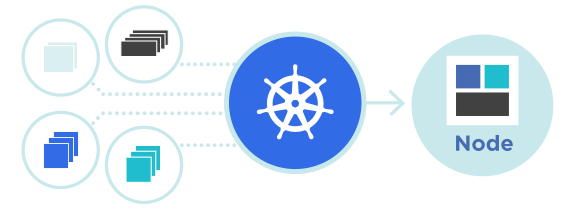
สร้าง CI/CD Pipeline สำหรับ Kubernetes ด้วย GitHub Actions
การสร้าง CI/CD Pipeline เป็นขั้นตอนสำคัญในการพัฒนาแอปพลิเคชันสมัยใหม่ที่ใช้ Kubernetes บนแพลตฟอร์ม ผู้ให้บริการโฮสติ้ง Cloud VPS GitHub Actions ช่วยให้คุณสามารถทำให้การทดสอบ การสร้าง Docker images และการ deployment ไปยัง Kubernetes cluster เป็นไปโดยอัตโนมัติอย่างครบถ้วน
CI/CD Pipeline คืออะไร
- Continuous Integration (CI): การตรวจสอบและทดสอบโค้ดโดยอัตโนมัติทุกครั้งที่มีการ commit
- Continuous Delivery: การเตรียม artifacts ให้พร้อมสำหรับการ release ได้ทันที
- Continuous Deployment: การ deploy โค้ดไปยัง production โดยอัตโนมัติ
- Kubernetes Integration: การ deploy Docker images ไปยัง Kubernetes cluster บน ผู้ให้บริการโฮสติ้ง Cloud VPS โดยอัตโนมัติ
โครงสร้าง GitHub Actions Workflow
.github/workflows/
├── deploy.yml          # Deploy ไปยัง Kubernetes
├── test.yml            # รันการทดสอบอัตโนมัติ
├── build.yml           # สร้าง Docker image
└── lint.yml            # ตรวจสอบคุณภาพโค้ด
Build and Test Workflow
Workflow แรกจะทำการทดสอบและสร้างแอปพลิเคชัน เมื่อมีการ push ไปยัง branch main หรือ develop:
name: Build & Test
on:
  push:
    branches: [ main, develop ]
  pull_request:
    branches: [ main, develop ]

jobs:
  test:
    runs-on: ubuntu-latest
    services:
      mysql:
        image: mysql:8.0
        env:
          MYSQL_ROOT_PASSWORD: root
          MYSQL_DATABASE: app_test
        options: >-
          --health-cmd="mysqladmin ping"
          --health-interval=10s
          --health-timeout=5s
          --health-retries=3
        ports:
          - 3306:3306

    steps:
    - uses: actions/checkout@v3

    - name: Setup PHP
      uses: shivammathur/setup-php@v2
      with:
        php-version: 8.2
        extensions: json,mbstring,pdo,pdo_mysql

    - name: Install Composer dependencies
      run: composer install --prefer-dist --no-progress --no-interaction

    - name: Create .env file
      run: cp .env.example .env

    - name: Generate app key
      run: php artisan key:generate

    - name: Run migrations
      run: php artisan migrate:fresh --seed

    - name: Run tests
      run: php artisan test

    - name: Run linting
      run: ./vendor/bin/pint --test
Build Docker Image Workflow
Workflow นี้สร้าง Docker image และ push ไปยัง registry เมื่อมีการ push ไปยัง main branch หรือสร้าง tag:
name: Build Docker Image
on:
  push:
    branches: [ main ]
    tags:
      - 'v*'

jobs:
  build:
    runs-on: ubuntu-latest

    steps:
    - uses: actions/checkout@v3

    - name: Set up Docker Buildx
      uses: docker/setup-buildx-action@v2

    - name: Login to Docker Registry
      uses: docker/login-action@v2
      with:
        registry: registry.example.com
        username: ${{ secrets.DOCKER_USERNAME }}
        password: ${{ secrets.DOCKER_PASSWORD }}

    - name: Build and push
      uses: docker/build-push-action@v4
      with:
        context: .
        push: true
        tags: |
          registry.example.com/my-app:${{ github.sha }}
          registry.example.com/my-app:latest
        cache-from: type=gha
        cache-to: type=gha,mode=max
Deploy to Kubernetes Workflow
Workflow สำหรับ deploy ไปยัง Kubernetes cluster ที่รันอยู่บน ผู้ให้บริการโฮสติ้ง Cloud VPS ด้วยการ apply manifests และ rolling update:
name: Deploy to Kubernetes
on:
  push:
    branches: [ main ]

jobs:
  deploy:
    runs-on: ubuntu-latest
    needs: build

    steps:
    - uses: actions/checkout@v3

    - name: Set up kubectl
      uses: azure/setup-kubectl@v3
      with:
        version: 'v1.28.0'

    - name: Configure kubeconfig
      env:
        KUBE_CONFIG_DATA: ${{ secrets.KUBE_CONFIG_DATA }}
      run: |
        mkdir -p $HOME/.kube
        echo $KUBE_CONFIG_DATA | base64 --decode > $HOME/.kube/config
        chmod 600 $HOME/.kube/config

    - name: Update Docker image tag
      run: |
        sed -i "s|IMAGE_TAG|${{ github.sha }}|g" k8s/deployment.yaml

    - name: Apply Kubernetes manifests
      run: |
        kubectl apply -f k8s/configmap.yaml
        kubectl apply -f k8s/secret.yaml
        kubectl apply -f k8s/deployment.yaml
        kubectl apply -f k8s/service.yaml
        kubectl apply -f k8s/ingress.yaml

    - name: Wait for rollout
      run: |
        kubectl rollout status deployment/my-app -n production --timeout=5m

    - name: Run smoke tests
      run: |
        kubectl run smoke-test --image=curlimages/curl \
          --restart=Never --rm -i \
          --command -- curl http://my-app:80/health
สร้าง Kubernetes Secrets จาก GitHub Secrets
    - name: Create Kubernetes Secret
      run: |
        kubectl create secret generic app-secrets \
          --from-literal=DB_PASSWORD=${{ secrets.DB_PASSWORD }} \
          --from-literal=REDIS_PASSWORD=${{ secrets.REDIS_PASSWORD }} \
          --dry-run=client -o yaml | kubectl apply -f -
Database Migration ก่อน Deployment
    - name: Run database migrations
      run: |
        kubectl run migration --image=registry.example.com/my-app:${{ github.sha }} \
          --restart=Never --rm -i \
          --command -- php artisan migrate --force
Rollback Strategy
    - name: Rollback on failure
      if: failure()
      run: |
        kubectl rollout undo deployment/my-app -n production
ตัวอย่าง CI/CD Pipeline ที่สมบูรณ์
name: Complete CI/CD Pipeline
on:
  push:
    branches: [ main, develop ]
  pull_request:
    branches: [ main, develop ]

jobs:
  test-and-build:
    runs-on: ubuntu-latest

    steps:
    - uses: actions/checkout@v3

    - name: Run tests
      run: |
        docker run --rm \
          -v ${{ github.workspace }}:/app \
          -w /app \
          php:8.2-cli \
          bash -c "composer install && php artisan test"

    - name: Build Docker image
      run: |
        docker build -t registry.example.com/my-app:${{ github.sha }} .
        docker push registry.example.com/my-app:${{ github.sha }}

  deploy:
    needs: test-and-build
    runs-on: ubuntu-latest
    if: github.ref == 'refs/heads/main'

    steps:
    - uses: actions/checkout@v3

    - name: Deploy to Kubernetes
      run: |
        kubectl set image deployment/my-app \
          my-app=registry.example.com/my-app:${{ github.sha }} \
          -n production
        kubectl rollout status deployment/my-app -n production
แนวทางปฏิบัติที่ดีที่สุด
- ใช้ GitHub Secrets สำหรับเก็บ credentials ไม่ควร hardcode ในโค้ด
- เพิ่มการทดสอบอัตโนมัติสำหรับ Pull Requests ก่อนการ merge
- สร้าง Docker images พร้อม tag ที่มีความหมาย เช่น version หรือ commit SHA
- เตรียม rollback strategy เพื่อจัดการความผิดพลาดในระหว่าง deployment
- ใช้ caching เพื่อเพิ่มความเร็วของ CI/CD pipeline
- ตั้งค่า notifications เมื่อ deployment สำเร็จหรือล้มเหลว
- รวม security scans เช่น container vulnerability scanning
- ตรวจสอบ logs และ metrics หลังจาก deployment ไปยัง Kubernetes cluster บน ผู้ให้บริการโฮสติ้ง Cloud VPS
ประโยชน์ของ CI/CD Pipeline
- ความเร็ว: ลด manual steps และ time-to-market ของคุณ
- คุณภาพ: เพิ่มคุณภาพโค้ดด้วยการทดสอบอัตโนมัติ
- ความเชื่อถือได้: ลดความเสี่ยงของ human error
- ความปลอดภัย: สแกนภัยคุณสมบัติของแอปพลิเคชันและ dependencies
- ความหยุดนิ่ง: ยุติ deployment ที่มีปัญหาแบบอัตโนมัติ
- Infrastructure ที่ปลอดภัยและความน่าเชื่อถือ
- Network connectivity ที่เร็ว
- Support ที่มืออาชีพ
- Auto-scaling capabilities
- Backup and recovery options