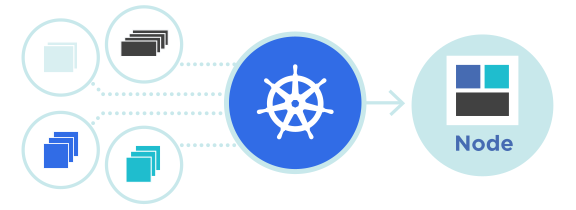
Kubernetes Performance Tuning และ Cost Optimization คืออะไร?
Kubernetes เป็นแพลตฟอร์มที่ทรงพลังสำหรับจัดการ container แต่เพื่อให้ได้ประสิทธิภาพสูงสุดและประหยัดต้นทุน คุณต้องเข้าใจวิธีการ tuning และ optimize resources อย่างถูกต้อง บทความนี้จะสอนวิธีปรับปรุง performance และลดค่าใช้จ่ายในการใช้งาน Cloud VPS กับ Kubernetes
ทำไมต้อง Optimize Kubernetes?
เมื่อใช้งาน Kubernetes บน Cloud VPS ของคุณ ปัญหาที่พบบ่อยคือ:
- การใช้ resource มากเกินความจำเป็น ทำให้ค่า cloud computing สูงขึ้น
- Pod ทำงานช้าเนื่องจากการแข่งขันกันใช้ resource
- Node ไม่ได้ใช้ประโยชน์อย่างเต็มที่ (poor utilization)
- ไม่มีการจัดการ resource request และ limit อย่างเหมาะสม
- Scheduling ของ Pod ไม่มีประสิทธิภาพ
1. Resource Requests และ Limits
การกำหนด resource requests และ limits เป็นพื้นฐานของการ optimize Kubernetes
Resource Requests คือจำนวน resource ที่ Pod ต้องการการรับประกัน
Resource Limits คือจำนวนสูงสุดที่ Pod สามารถใช้ได้
apiVersion: v1
kind: Pod
metadata:
  name: resource-example
spec:
  containers:
  - name: app
    image: myapp:latest
    resources:
      requests:
        memory: "256Mi"
        cpu: "250m"
      limits:
        memory: "512Mi"
        cpu: "500m"
2. Horizontal Pod Autoscaling (HPA)
HPA จะเพิ่มหรือลดจำนวน Pod โดยอัตโนมัติตามภาระงาน (load) ช่วยประหยัดต้นทุนเมื่อมีโหลดต่ำ
apiVersion: autoscaling/v2
kind: HorizontalPodAutoscaler
metadata:
  name: app-hpa
spec:
  scaleTargetRef:
    apiVersion: apps/v1
    kind: Deployment
    name: myapp
  minReplicas: 2
  maxReplicas: 10
  metrics:
  - type: Resource
    resource:
      name: cpu
      target:
        type: Utilization
        averageUtilization: 70
3. Vertical Pod Autoscaling (VPA)
VPA จะเปลี่ยนจำนวน CPU และ Memory requests โดยอัตโนมัติตามการใช้งานจริง
apiVersion: autoscaling.k8s.io/v1
kind: VerticalPodAutoscaler
metadata:
  name: app-vpa
spec:
  targetRef:
    apiVersion: apps/v1
    kind: Deployment
    name: myapp
  updatePolicy:
    updateMode: "Auto"
  resourcePolicy:
    containerPolicies:
    - containerName: "*"
      minAllowed:
        cpu: 100m
        memory: 128Mi
      maxAllowed:
        cpu: 2
        memory: 2Gi
4. Node Affinity และ Pod Affinity
ใช้ affinity rules เพื่อควบคุมการจัดสรร Pod บน Node อย่างเหมาะสม ช่วยลดค่าใช้จ่าย Cloud VPS
apiVersion: apps/v1
kind: Deployment
metadata:
  name: myapp
spec:
  replicas: 3
  template:
    spec:
      affinity:
        nodeAffinity:
          preferredDuringSchedulingIgnoredDuringExecution:
          - weight: 100
            preference:
              matchExpressions:
              - key: node-type
                operator: In
                values:
                - compute-optimized
        podAntiAffinity:
          preferredDuringSchedulingIgnoredDuringExecution:
          - weight: 100
            podAffinityTerm:
              labelSelector:
                matchExpressions:
                - key: app
                  operator: In
                  values:
                  - myapp
              topologyKey: kubernetes.io/hostname
5. Cluster Autoscaling
ใช้ Cluster Autoscaler เพื่อเพิ่มหรือลด Node โดยอัตโนมัติตามความต้องการจริง ช่วยประหยัดค่า Cloud VPS อย่างมีนัยสำคัญ
kubectl apply -f https://raw.githubusercontent.com/kubernetes/autoscaler/master/cluster-autoscaler/cloudprovider/cloud-template/cluster-autoscaler-deployment.yaml6. Resource Quota และ Namespace Limits
จัดการ resource ระดับ Namespace เพื่อป้องกันการใช้ resource มากเกินไป
apiVersion: v1
kind: ResourceQuota
metadata:
  name: compute-quota
  namespace: production
spec:
  hard:
    requests.cpu: "10"
    requests.memory: "20Gi"
    limits.cpu: "20"
    limits.memory: "40Gi"
    pods: "100"
7. Monitoring และ Profiling
ติดตั้ง Prometheus และ Grafana เพื่อติดตามการใช้ resource และระบุจุดที่สามารถ optimize ได้
kubectl apply -f https://github.com/prometheus-operator/prometheus-operator/releases/download/v0.56.0/bundle.yaml8. Container Image Optimization
ใช้ lightweight base images เช่น Alpine Linux แทน Ubuntu เพื่อลดขนาด image และเพิ่มความเร็วในการ deploy
FROM alpine:3.18
RUN apk add --no-cache python3 py3-pip
COPY requirements.txt .
RUN pip install -r requirements.txt
COPY app.py .
CMD ["python3", "app.py"]
9. Cost Optimization Best Practices
- ใช้ Spot Instances หรือ Preemptible VMs: ประหยัด 70% เมื่อเทียบกับ on-demand pricing
- Right-sizing: เลือก VM type ที่เหมาะสมกับ workload
- Reserved Instances: สำหรับ workload ที่ stable และ long-running
- Multi-cluster management: ใช้หลาย cluster เพื่อกระจายความเสี่ยง
- Idle resource cleanup: ลบ unused namespace, persistent volume, และ load balancer
- Optimize networking: ลด data transfer โดยใช้ CDN และ caching
10. Cost Analysis Tools
ใช้เครื่องมือวิเคราะห์ต้นทุน เช่น Kubecost หรือ CloudZero เพื่อติดตามค่า infrastructure
helm repo add kubecost https://kubecost.github.io/cost-analyzer/
helm install kubecost kubecost/cost-analyzer --namespace kubecost --create-namespace
ตัวอย่าง: Deployment ที่ Optimized
apiVersion: apps/v1
kind: Deployment
metadata:
  name: optimized-app
spec:
  replicas: 2
  strategy:
    type: RollingUpdate
    rollingUpdate:
      maxSurge: 1
      maxUnavailable: 0
  selector:
    matchLabels:
      app: myapp
  template:
    metadata:
      labels:
        app: myapp
    spec:
      affinity:
        podAntiAffinity:
          requiredDuringSchedulingIgnoredDuringExecution:
          - labelSelector:
              matchExpressions:
              - key: app
                operator: In
                values:
                - myapp
            topologyKey: kubernetes.io/hostname
      containers:
      - name: myapp
        image: myapp:latest
        imagePullPolicy: IfNotPresent
        resources:
          requests:
            memory: "256Mi"
            cpu: "250m"
          limits:
            memory: "512Mi"
            cpu: "500m"
        livenessProbe:
          httpGet:
            path: /health
            port: 8080
          initialDelaySeconds: 30
          periodSeconds: 10
        readinessProbe:
          httpGet:
            path: /ready
            port: 8080
          initialDelaySeconds: 5
          periodSeconds: 5
---
apiVersion: autoscaling/v2
kind: HorizontalPodAutoscaler
metadata:
  name: optimized-app-hpa
spec:
  scaleTargetRef:
    apiVersion: apps/v1
    kind: Deployment
    name: optimized-app
  minReplicas: 2
  maxReplicas: 8
  metrics:
  - type: Resource
    resource:
      name: cpu
      target:
        type: Utilization
        averageUtilization: 70
  - type: Resource
    resource:
      name: memory
      target:
        type: Utilization
        averageUtilization: 80
