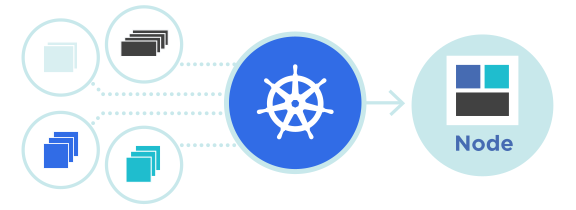
เมื่อระบบย้ายไปอยู่บน Kubernetes การดูแค่ CPU หรือ Memory ระดับ Node ไม่เพียงพออีกต่อไป — สิ่งที่ทีม SRE ต้องการคือภาพของ Object ทุกประเภทภายใน Cluster ไม่ว่าจะเป็น Pod, Deployment, StatefulSet, Job, หรือ PersistentVolumeClaim และสถานะของมัน ณ เวลานั้น ๆ ซึ่งข้อมูลเหล่านี้ไม่ได้อยู่ใน cAdvisor หรือ Node Exporter แต่ต้องดึงจาก Kubernetes API โดยตรง
kube-state-metrics คือเครื่องมือที่ถูกออกแบบมาเพื่อตอบโจทย์นี้ — เป็น Service ที่คอย Watch Kubernetes API Server แล้วแปลงสถานะของทุก Object ออกมาเป็น Prometheus metric ที่ Scrape ได้ บทความนี้อธิบายว่า kube-state-metrics คืออะไร, ติดตั้งอย่างไร, Metric ที่สำคัญ, และตัวอย่าง Alert Rule ที่ใช้งานจริง
kube-state-metrics คืออะไร
kube-state-metrics (ชื่อย่อ KSM) เป็น Agent ที่พัฒนาโดย SIG Instrumentation ของชุมชน Kubernetes ทำหน้าที่ดึงข้อมูลจาก API Server แล้วสร้าง Metric ที่อธิบาย “state” ของ Object ต่าง ๆ เช่น มีกี่ Pod, Pod ไหน Ready, Pod ไหนอยู่ในสถานะ CrashLoopBackOff, Replica ตั้งไว้เท่าไรและทำงานจริงกี่ตัว, Deployment rollout สำเร็จหรือไม่
สิ่งที่ต้องเข้าใจคือ KSM ไม่ได้วัด Resource Usage — เรื่องการใช้ CPU/Memory จริง ๆ เป็นหน้าที่ของ Metrics Server, cAdvisor, หรือ Node Exporter แต่ KSM เน้นที่ “สถานะของ Object” ซึ่งต่างจากการวัดทรัพยากรคนละด้าน
KSM vs Metrics Server — ความแตกต่าง
| หัวข้อ | kube-state-metrics | Metrics Server |
|---|---|---|
| จุดประสงค์ | สถานะ Object (state) | Resource Usage (CPU/Memory) |
| ใช้ร่วมกับ | Prometheus | kubectl top, HPA |
| ตัวอย่าง Metric | kube_pod_status_phase | cpu/memory ปัจจุบัน |
| รูปแบบข้อมูล | Prometheus format | Resource API |
ติดตั้ง kube-state-metrics
วิธีติดตั้งมี 3 รูปแบบหลัก: ใช้ Manifest ของ Official Repository, ใช้ Helm Chart, หรือรวมมากับ kube-prometheus-stack ซึ่งเป็น Bundle ที่รวม Prometheus, Alertmanager, Grafana, และ KSM ไว้ด้วยกัน
วิธีที่ 1: Official Manifest
git clone https://github.com/kubernetes/kube-state-metrics.git
cd kube-state-metrics
kubectl apply -f examples/standard/

# ตรวจสอบ
kubectl get pods -n kube-system -l app.kubernetes.io/name=kube-state-metrics

# Port-forward เพื่อดู metric
kubectl port-forward -n kube-system svc/kube-state-metrics 8080:8080
curl http://localhost:8080/metrics | head -20
วิธีที่ 2: Helm Chart
helm repo add prometheus-community https://prometheus-community.github.io/helm-charts
helm repo update

helm install ksm prometheus-community/kube-state-metrics \
  --namespace monitoring \
  --create-namespace
วิธีที่ 3: kube-prometheus-stack (แนะนำ)
helm install kps prometheus-community/kube-prometheus-stack \
  --namespace monitoring \
  --create-namespace \
  --set grafana.enabled=true \
  --set prometheus.enabled=true \
  --set kubeStateMetrics.enabled=true
การใช้ kube-prometheus-stack เป็นวิธีที่สะดวกที่สุดเพราะได้ทั้ง Prometheus Operator, ServiceMonitor, และ Dashboard ของ Grafana พร้อมใช้งานโดยไม่ต้อง config เพิ่ม
Metrics ที่สำคัญและพบบ่อย
KSM สร้าง Metric มากกว่า 200 ตัวครอบคลุมทุก Object ของ Kubernetes แต่ในการใช้งานจริง Metric ที่ถูกอ้างถึงบ่อยมักอยู่ในกลุ่ม Pod, Deployment, Node, และ PersistentVolume
Pod Metrics
| Metric | ความหมาย |
|---|---|
| kube_pod_status_phase | สถานะ Pod (Pending, Running, Failed, Succeeded) |
| kube_pod_container_status_ready | Container พร้อมใช้งานหรือไม่ (0/1) |
| kube_pod_container_status_restarts_total | จำนวน Restart ของ Container |
| kube_pod_container_status_waiting_reason | เหตุผลที่ Container รอ (CrashLoopBackOff, ImagePullBackOff) |
| kube_pod_container_resource_requests | Resource Request ที่ตั้งไว้ |
| kube_pod_container_resource_limits | Resource Limit ที่ตั้งไว้ |
Deployment Metrics
| Metric | ความหมาย |
|---|---|
| kube_deployment_spec_replicas | จำนวน Replica ที่ต้องการ |
| kube_deployment_status_replicas_available | จำนวน Replica ที่พร้อมใช้งาน |
| kube_deployment_status_replicas_unavailable | จำนวน Replica ที่ยังไม่พร้อม |
| kube_deployment_status_condition | สถานะของ Deployment (Progressing, Available) |
Node Metrics
| Metric | ความหมาย |
|---|---|
| kube_node_status_condition | สถานะ Node (Ready, MemoryPressure, DiskPressure) |
| kube_node_spec_unschedulable | Node ถูก Cordon หรือไม่ |
| kube_node_status_allocatable | ทรัพยากรที่จัดสรรให้ Pod ได้ |
| kube_node_status_capacity | ทรัพยากรรวมของ Node |
PersistentVolume Metrics
| Metric | ความหมาย |
|---|---|
| kube_persistentvolume_status_phase | สถานะ PV (Available, Bound, Released, Failed) |
| kube_persistentvolumeclaim_status_phase | สถานะ PVC |
| kube_persistentvolumeclaim_resource_requests_storage_bytes | ขนาด Storage ที่ขอ |
PromQL ตัวอย่างที่ใช้บ่อย
ต่อไปนี้คือ PromQL ที่ทีม SRE มักใช้บ่อยในการตรวจสอบสุขภาพของ Cluster
Pod ที่อยู่ในสถานะผิดปกติ
# Pod ที่ไม่ Ready เกิน 5 นาที
sum by (namespace, pod) (
  kube_pod_status_ready{condition="false"} == 1
)

# Pod ที่ CrashLoopBackOff
sum by (namespace, pod) (
  kube_pod_container_status_waiting_reason{reason="CrashLoopBackOff"}
) > 0

# Pod Restart เกิน 5 ครั้งใน 1 ชั่วโมง
increase(kube_pod_container_status_restarts_total[1h]) > 5
Deployment ที่ไม่พร้อม
# Deployment ที่ Replica ไม่ครบ
kube_deployment_spec_replicas - kube_deployment_status_replicas_available > 0

# Deployment ที่ Rollout ค้าง
kube_deployment_status_condition{condition="Progressing", status="false"} == 1
Node ที่มีปัญหา
# Node ที่ Not Ready
kube_node_status_condition{condition="Ready", status="true"} == 0

# Node ที่มี Memory Pressure
kube_node_status_condition{condition="MemoryPressure", status="true"} == 1

# Node ที่ถูก Cordon
kube_node_spec_unschedulable == 1
Resource Allocation
# Sum CPU Request ทั้ง Cluster
sum(kube_pod_container_resource_requests{resource="cpu"})

# Sum Memory Request แยกตาม Namespace
sum by (namespace) (
  kube_pod_container_resource_requests{resource="memory"}
)

# เปรียบเทียบ Request กับ Allocatable
sum(kube_pod_container_resource_requests{resource="cpu"}) /
sum(kube_node_status_allocatable{resource="cpu"}) * 100
Alert Rules ที่ควรมี
ตัวอย่าง Alert Rule ที่นิยมใช้ในระบบ Production — เขียนในรูปแบบ Prometheus Rule ที่สามารถวางใน PrometheusRule CRD ของ Operator ได้ทันที
groups:
- name: kubernetes-pods
  rules:
  - alert: PodNotReady
    expr: |
      sum by (namespace, pod) (
        kube_pod_status_phase{phase=~"Pending|Unknown"}
      ) > 0
    for: 10m
    labels:
      severity: warning
    annotations:
      summary: "Pod {{ $labels.namespace }}/{{ $labels.pod }} not ready"

  - alert: PodCrashLooping
    expr: |
      rate(kube_pod_container_status_restarts_total[15m]) * 60 * 15 > 3
    for: 15m
    labels:
      severity: critical
    annotations:
      summary: "Pod {{ $labels.namespace }}/{{ $labels.pod }} crash looping"

  - alert: DeploymentReplicasMismatch
    expr: |
      kube_deployment_spec_replicas
        != kube_deployment_status_replicas_available
    for: 15m
    labels:
      severity: warning
    annotations:
      summary: "Deployment {{ $labels.namespace }}/{{ $labels.deployment }} replicas mismatch"

- name: kubernetes-nodes
  rules:
  - alert: NodeNotReady
    expr: |
      kube_node_status_condition{condition="Ready", status="true"} == 0
    for: 10m
    labels:
      severity: critical
    annotations:
      summary: "Node {{ $labels.node }} not ready"

  - alert: NodeMemoryPressure
    expr: |
      kube_node_status_condition{condition="MemoryPressure", status="true"} == 1
    for: 5m
    labels:
      severity: warning

  - alert: TooManyPods
    expr: |
      sum by (node) (kube_pod_info) /
      sum by (node) (kube_node_status_allocatable{resource="pods"}) > 0.9
    for: 15m
    labels:
      severity: warning
Grafana Dashboard ที่แนะนำ
Dashboard ยอดนิยมที่สามารถ import ได้จาก grafana.com โดยอ้างอิงจาก Dashboard ID
- Dashboard 13332 — Kubernetes/Views/Global ภาพรวมของ Cluster ทั้งหมด
- Dashboard 13770 — Kubernetes/Views/Namespaces รายละเอียดระดับ Namespace
- Dashboard 13659 — Kubernetes/Views/Pods ดูสถานะ Pod แต่ละตัว
- Dashboard 15759 — Kubernetes Views / Nodes เน้นข้อมูลระดับ Node
- Dashboard 8588 — Kubernetes Deployment Statefulset Daemonset metrics
การตั้งค่า Prometheus ให้ Scrape KSM
ถ้าใช้ Prometheus Operator สามารถสร้าง ServiceMonitor แทน Scrape Config ได้
apiVersion: monitoring.coreos.com/v1
kind: ServiceMonitor
metadata:
  name: kube-state-metrics
  namespace: monitoring
  labels:
    app.kubernetes.io/name: kube-state-metrics
spec:
  selector:
    matchLabels:
      app.kubernetes.io/name: kube-state-metrics
  namespaceSelector:
    matchNames:
    - kube-system
    - monitoring
  endpoints:
  - port: http-metrics
    interval: 30s
    scrapeTimeout: 10s
  - port: telemetry
    interval: 30s
ถ้าใช้ Prometheus แบบ Manual Config ให้เพิ่ม Job ดังนี้
scrape_configs:
  - job_name: 'kube-state-metrics'
    kubernetes_sd_configs:
      - role: endpoints
    relabel_configs:
      - source_labels: [__meta_kubernetes_service_name]
        regex: kube-state-metrics
        action: keep
Best Practices
- รัน KSM แบบ HA อย่างน้อย 2 Replica เพื่อไม่ให้ Single Point of Failure
- ใช้ sharding เมื่อ Cluster ใหญ่ (เกิน 1000 Pods) เพื่อกระจายภาระ
- ตั้ง resource.limits ให้เหมาะสม — โดยทั่วไป 100Mi RAM ต่อ 1000 Pods
- ไม่ต้อง Scrape บ่อยเกินไป — ทุก 30 วินาทีเพียงพอสำหรับการ Monitor
- กรอง Label ที่ไม่ใช้ผ่าน –metric-labels-allowlist เพื่อลดภาระ Prometheus
- แยก KSM ออกจาก Prometheus Pod เพื่อให้ Scale ได้อิสระ
Metric ไม่ครบ
ถ้า PromQL บอกว่าไม่มี Metric บางตัว ให้ตรวจสอบว่า KSM มีสิทธิ์ RBAC ครอบคลุม resource นั้นหรือไม่ — เช่น ถ้าไม่เห็น kube_ingress_info อาจต้องเพิ่ม verb get/list/watch ให้ resource ingresses ใน ClusterRole
OOMKilled ใน Cluster ใหญ่
ใน Cluster ที่มี Object จำนวนมาก (หลายพัน Pod) KSM อาจใช้ Memory เกิน Limit ที่ตั้งไว้ ทางแก้คือเพิ่ม Memory Limit เป็น 512Mi หรือมากกว่า หรือใช้ sharding mode เพื่อกระจาย Object หลายตัว
Metric เก่าไม่ลบ
บางครั้ง Pod ถูกลบไปแล้วแต่ Metric ยังค้าง — มักเกิดจาก Prometheus staleness marker ยังไม่ทำงาน ให้ตรวจสอบ honor_labels และ honor_timestamps ใน Scrape Config และใช้ PromQL ที่มี offset หรือ time filter เพื่อจัดการกับ stale data
สรุป
kube-state-metrics เป็นส่วนสำคัญของระบบ Observability ใน Kubernetes ที่ไม่สามารถแทนด้วย Metrics Server หรือ cAdvisor ได้ เพราะมันให้ข้อมูลเกี่ยวกับ “สถานะของ Object” ซึ่งจำเป็นต่อการสร้าง Alert Rule ที่แม่นยำ เช่น ตรวจจับ Pod CrashLoopBackOff, Deployment Rollout ค้าง, หรือ Node ที่มีปัญหา
การใช้ร่วมกับ kube-prometheus-stack เป็นวิธีที่ง่ายและเร็วที่สุดในการเริ่มต้น เพราะได้ Dashboard, Alert Rule, และ ServiceMonitor ครบตั้งแต่วันแรก และ KSM ถูกตั้งค่าพร้อมกับองค์ประกอบอื่น ๆ ของชุดโดยอัตโนมัติ — ทีมงานโฟกัสที่การสร้าง Alert เพิ่มเติมและปรับแต่ง Dashboard ตามความต้องการของทีมได้เลย

